

Use case · SAJA, Kingdom of Saudi Arabia
Approve every claim once, then reuse it with confidence
We designed and built Saja MedLR: the system where SAJA’s Medical, Legal and Regulatory teams review promotional content, keep an approved library, and track every piece until it expires.

- Client
- Saudi Arabian Japanese Pharmaceutical Co. (SAJA)
- Market
- Kingdom of Saudi Arabia, GCC and Egypt
- Sector
- Pharmaceuticals
- Scope
- MLR web application, approved library and AI assistant
At a glance
One approved claim. Every material that uses it.
MedLR treats content as modules — a claim, a safety statement, an image, a PDF — so each is reviewed once and then reused in emails, detail aids and posts without starting the review again.
- 9
- module types, from clinical claims to video
- 3
- review functions: Medical, Legal and Regulatory
- 5
- markets, each with its health authority
- 8
- lifecycle stages, from draft to archive
01The challenge
Approvals lived in email threads and PDFs
Every new email or detail aid went through a full review, even when every line in it had already been approved somewhere else.
The same claim, reviewed again
A claim approved for one leaflet was checked again for the next email, because nothing linked the two.
Slow review cyclesNo single view of status
Who is reviewing what, and for how long, was answered by chasing people rather than by looking.
Hidden bottlenecksExpiry kept in spreadsheets
Approvals have end dates and periodic reviews. Missing one means content in the field that is no longer valid.
Compliance risk
02The model
The module is the core object
Everything in MedLR follows one path. Content is broken into modules, approved once, and assembled into materials from the library.
Module
A claim, statement, image, video or PDF, with its references and scope
MLR review
A workflow of Member reviews and Lead approvals
Approved Library
Valid content only, ready to reuse
Asset assembly
Emails, detail aids, banners and posts built from modules
Derivative review
A shorter route when every block is already approved
Lifecycle
Expiry, periodic review, new versions and withdrawal
The platform · MLR web application
Six spaces, one approval record
Each team lands on what it needs first: reviewers on their tasks, brand teams on the library, compliance on the lifecycle.
- For SAJA’s MLR, brand and compliance teams
- Tasks and SLA tracking
- Reusable modules
- Full approval trail
- Configurable workflows
- Approved Library
- Expiry and periodic review
- Reports

01 · Home
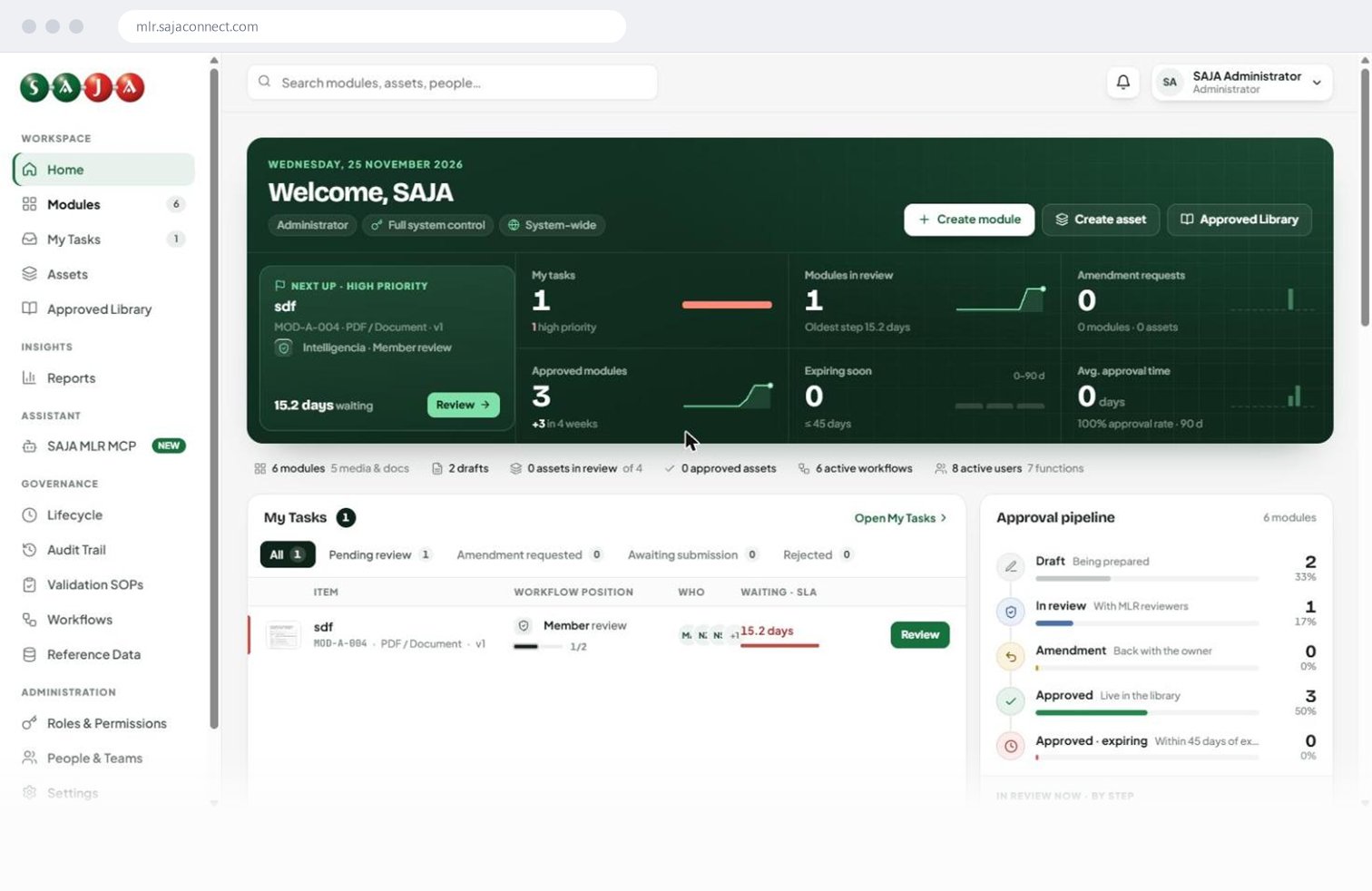
What needs attention, the moment you sign in
The next high-priority item, my tasks with their wait against the SLA, and the approval pipeline from draft to expiring.
For every MLR user02 · Modules
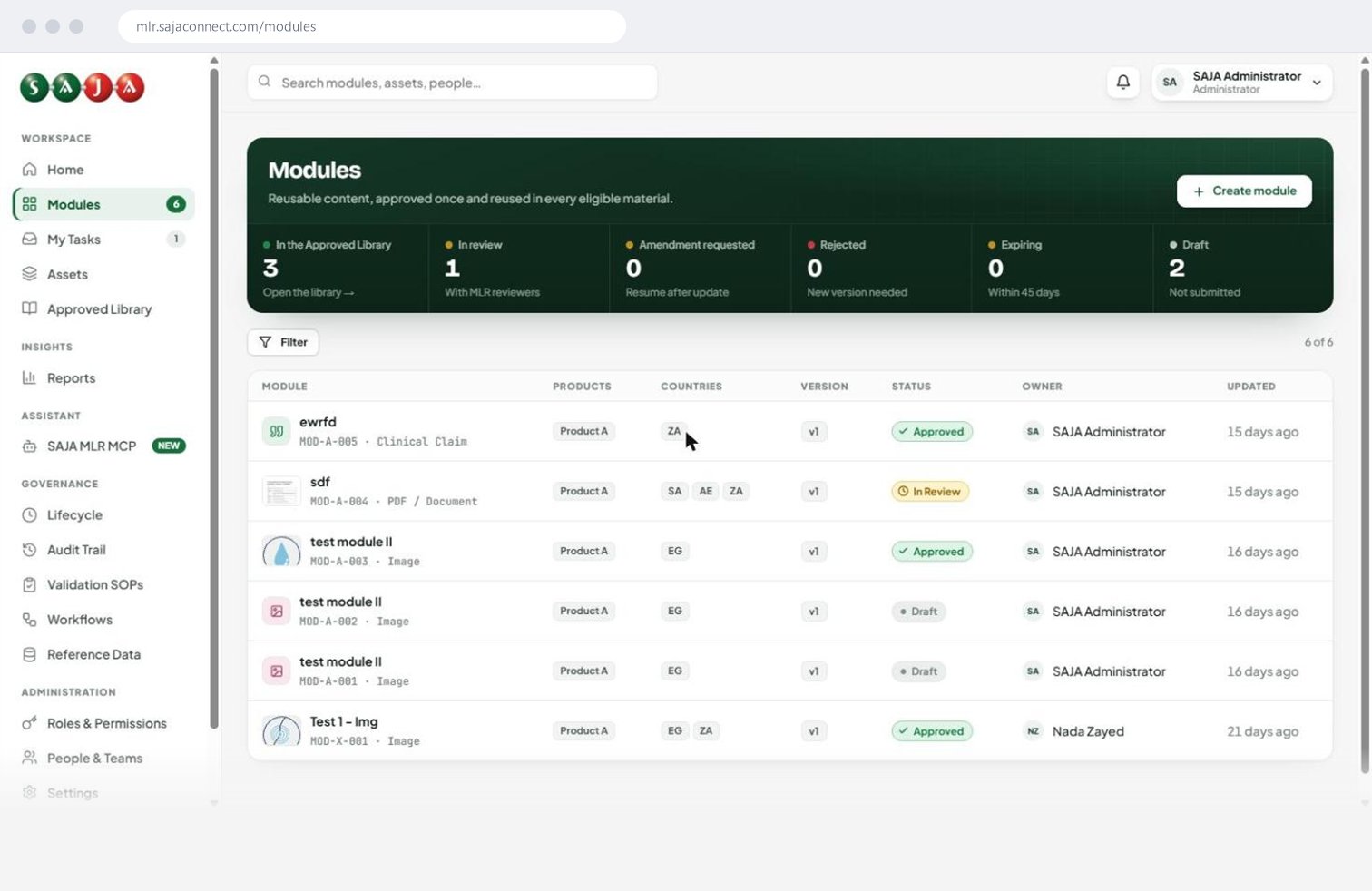
Reusable content, approved once
Every module carries its product, countries, audience, channels and version, with its status visible at a glance.
For content owners03 · Module page
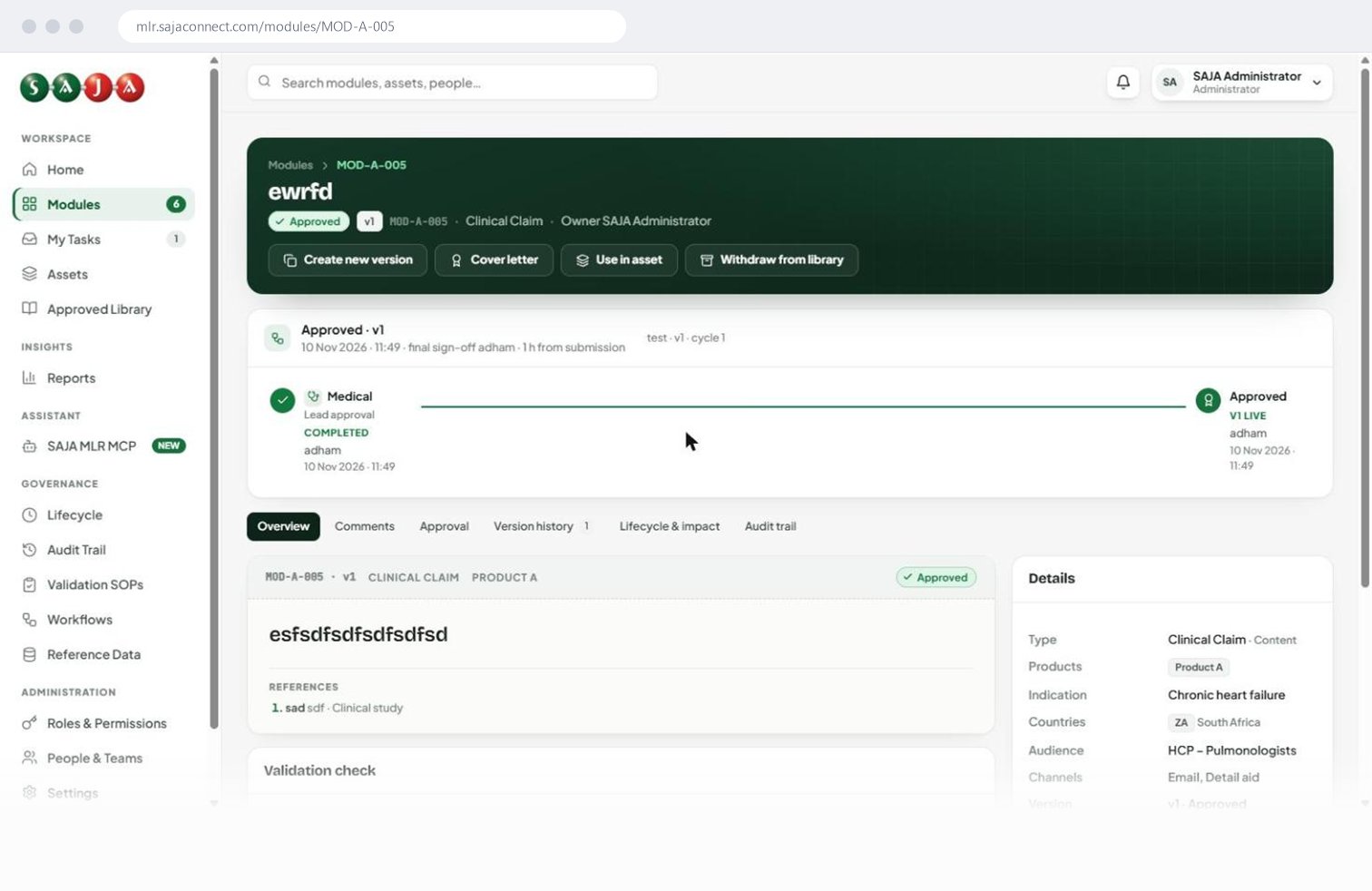
The full approval trail on one page
Who approved each step and when, the references behind the claim, its validation check, and actions to version it, issue a cover letter or use it in an asset.
For reviewers04 · Workflows
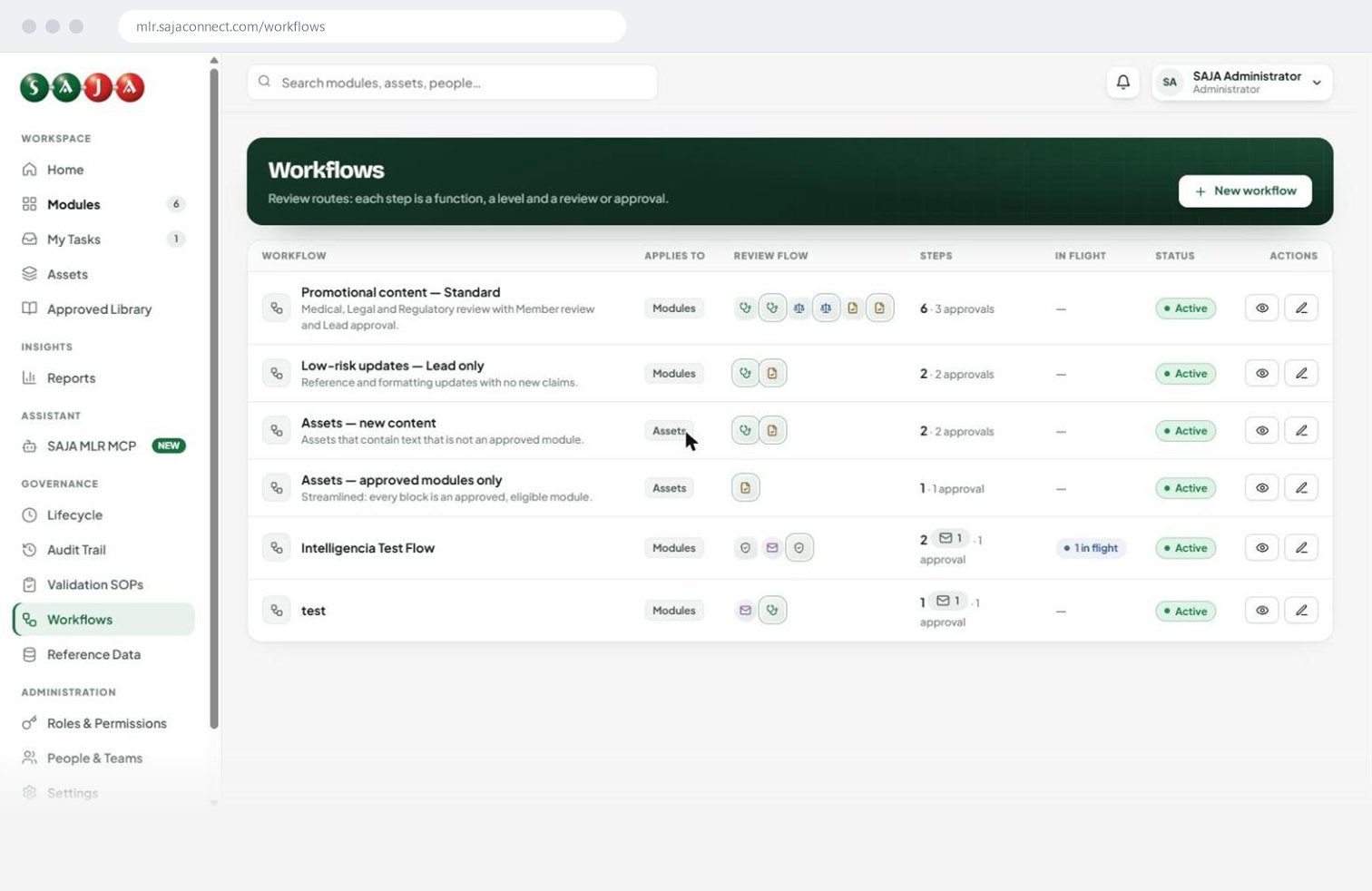
Review routes SAJA builds itself
Each step is a function, a level and a review or approval, with email notifications in between. Assets made only from approved modules take a streamlined route.
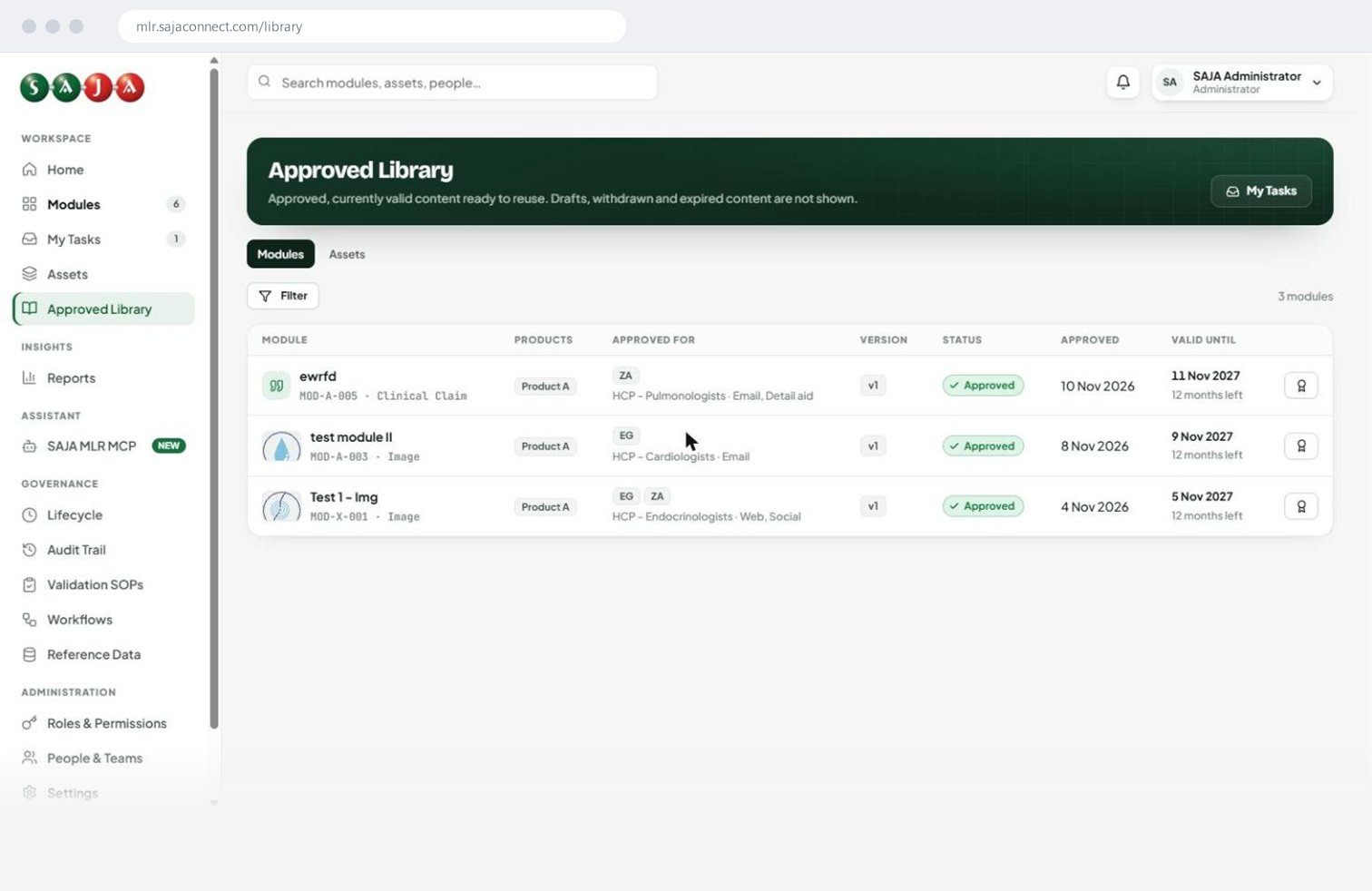
For administrators05 · Library & lifecycle
Only valid content, and a clock on all of it
The library shows what is approved and for whom, with its valid-until date. Lifecycle flags modules 45 days before expiry and lists periodic reviews that are due.
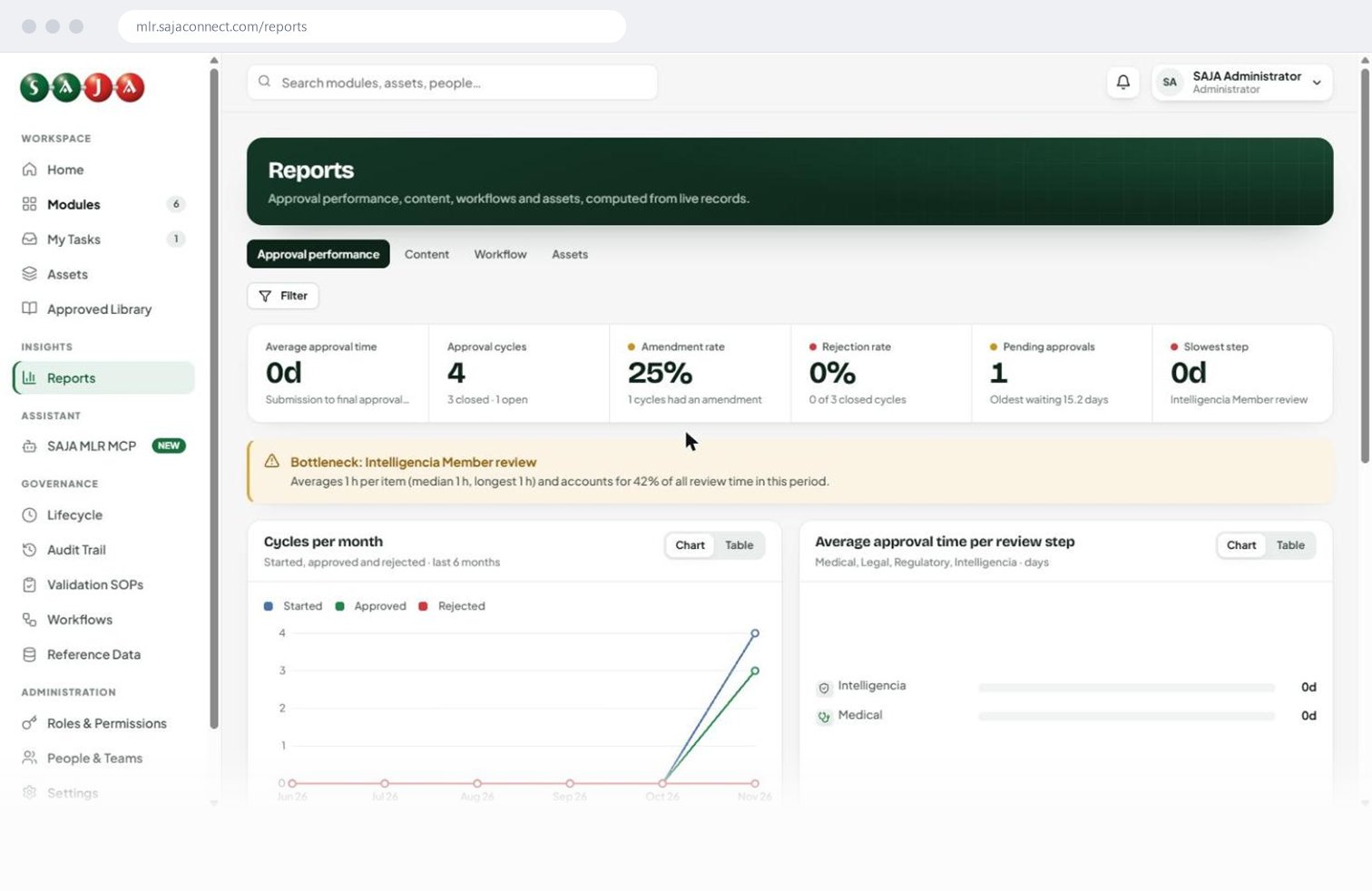
For brand & compliance06 · Reports
Where review time actually goes
Approval time, cycles, amendment and rejection rates, and the slowest step named outright — by product, country and workflow.
For MLR leads
Screens shown from the live platform with test content.
04Governance
Built for an audit, not just for review
Every decision is attributable, every rule is configurable, and nothing leaves the library without a record.
Roles & permissions
Member and Lead roles for each function, grouped into teams, with system-wide or team scope.
E-signature approvals
Lead approvals are signed in MedLR, so each approval has a named, dated signature.
Audit trail
Every change, submission and decision is logged against the module or asset it touched.
Validation SOPs
Checks attached to module types and channels, run before content reaches a reviewer.
Impact analysis
Before a module is withdrawn or versioned, MedLR shows every asset that uses it.
Market reference data
Products, indications, countries with their authority (SFDA, MOHAP, MOH Kuwait, EDA), channels and audiences.
05AI assistant · SAJA MLR MCP
Ask MedLR in plain words
MedLR has its own connector for Claude. Reviewers ask what is waiting for them, find a module, check what is about to expire, or record a decision — within the same role and scope they have in the app. Signing an approval stays in MedLR.
What’s waiting for my review?
One module: a PDF for Product A, at Member review for 15 days — past the 3-day SLA. Want the link?
Which modules expire this quarter?
None in the next 90 days. One periodic review is overdue.
06Delivered
What we built for SAJA
Designed, built and run by one team, from the content model to the AI connector.
- Content model
- Workflow engine
- Approved Library
- Asset builder
- Lifecycle and expiry
- Reports
- Roles, SOPs and e-signatures
- Audit trail
- MCP connector for AI
Work with us
Have a project like this?
Tell us what you need and we will scope it with you.
Talk to us